

LDAP
Sync users and groups from lldap, OpenLDAP, Active Directory or another LDAP server, set up in the admin UI or with environment variables.
Pocket ID can sync users and groups from an LDAP server, such as lldap, OpenLDAP or Active Directory. The sync only reads from LDAP: users still sign in with passkeys, and Pocket ID doesn’t serve LDAP to other apps.
- Pocket ID syncs a few seconds after it starts and then every hour, and Sync now starts one right away.
- Synced users and groups are read-only in Pocket ID, so change them in LDAP.
- By default, users who disappear from LDAP are disabled rather than deleted, which Keep disabled users from LDAP controls.
Set up LDAP in the admin UI
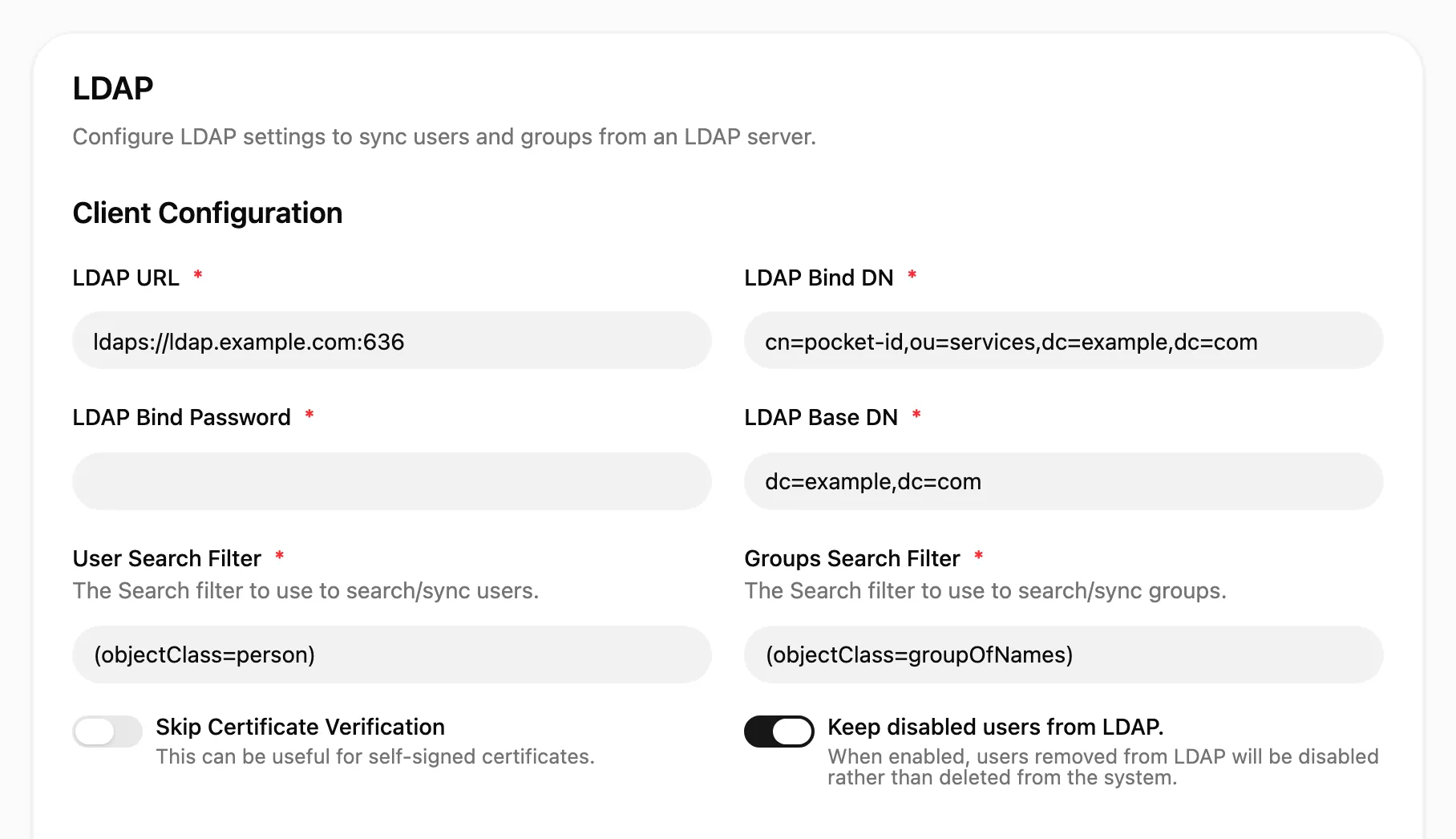
Section titled “Set up LDAP in the admin UI”Open Application Configuration → LDAP, fill in the connection and the attribute mapping, and click Enable.
| Setting | Example | Description |
|---|---|---|
| LDAP URL | ldaps://ldap.example.com:636 |
The server’s URL with its port |
| LDAP Bind DN | cn=pocket-id,ou=services,dc=example,dc=com |
The account Pocket ID searches LDAP with |
| LDAP Bind Password | That account’s password | |
| LDAP Base DN | dc=example,dc=com |
Where the search for users and groups starts |
| User Search Filter | (objectClass=person) |
Which entries are users |
| Groups Search Filter | (objectClass=groupOfNames) |
Which entries are groups |
Under Attribute Mapping, map the LDAP attributes to Pocket ID’s fields:
| Setting | Example | Description |
|---|---|---|
| User Unique Identifier Attribute | entryUUID, objectGUID in AD |
Identifies a user across syncs, so its value must never change |
| Username Attribute | uid, sAMAccountName in AD |
The username |
| User Mail Attribute | mail |
The email address |
| User First Name Attribute | givenName |
The first name |
| User Last Name Attribute | sn |
The last name |
| Display Name Attribute | cn |
The display name, cn by default |
| User Profile Picture Attribute | jpegPhoto |
A URL, binary image or base64 image |
| Group Members Attribute | member |
The attribute that lists a group’s members |
| Group Unique Identifier Attribute | entryUUID |
Identifies a group across syncs, so its value must never change |
| Group RDN Attribute | cn |
The group’s name, as used in its DN |
| Admin Group Name | pocket-id-admins |
Members of this group become Pocket ID admins |
Set up LDAP with environment variables
Section titled “Set up LDAP with environment variables”To keep the configuration in files, set UI_CONFIG_DISABLED=true and the LDAP_* variables from Environment variables, with LDAP_ENABLED=true.
With the UI configuration disabled, every setting of Application Configuration comes from the environment.
Since nobody has a passkey yet when you start this way, sign in as an admin from LDAP with a login code:
-
Make sure at least one user is in the group from
LDAP_ADMIN_GROUP_NAME. -
Start Pocket ID and wait for
LDAP sync completedin its logs. -
Create a login code for that user and open the link it prints:
Terminal window docker compose exec pocket-id /app/pocket-id one-time-access-token <username or email> -
Add a passkey on your account page.